
Quoting & Work Preparation
Quoting, connecting and work preparation software for manufacturers
Quickly move from CAD to cost calculation, work preparation, and production with less friction



CalQore helps manufacturers turn engineering input into faster quotes, better-prepared jobs, and cleaner production handoffs. Instead of rebuilding project data across spreadsheets, disconnected tools, and manual transfers, teams can work in one connected workflow from CAD input to cost calculation, work preparation, and downstream execution.

Why quoting and work preparation often break down
In many manufacturing environments, quoting is not the real bottleneck on its own. The bigger problem is what happens around it. Engineers receive CAD files. Estimators calculate in spreadsheets. Project data gets copied into other systems. Operations are assigned manually. Production starts with incomplete or inconsistent information. Every handoff creates delay, rework, and risk.
When quoting and work preparation are disconnected, the result is predictable: slower turnaround, less reliable costing, more manual effort, and more mistakes between office and production.
CalQore connects quoting, work preparation, and production flow
CalQore is built to reduce that disconnect. It helps manufacturers move from CAD input to cost calculation, structured work preparation, and production-ready output in one connected workflow.
Instead of treating the quote as an isolated document, CalQore makes the project data usable beyond pricing so the next step does not have
to start from scratch.
1
Start from real engineering input
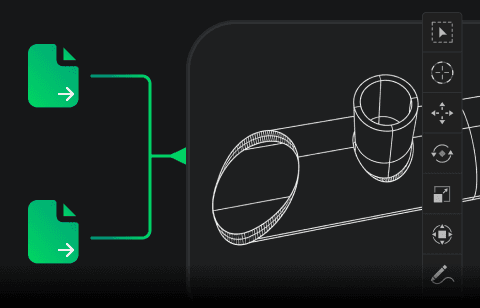
Import DXF and STEP files directly and work with actual geometry, not simplified assumptions.
2
Calculate with your own operational logic

Use your machines, materials, and pricing rules to reflect how your business really operates.
3
Keep projects structured for downstream use

Prepare clean, structured project data that flows smoothly into CAM, ERP, and production systems.
4
Reduce repeated entry between systems
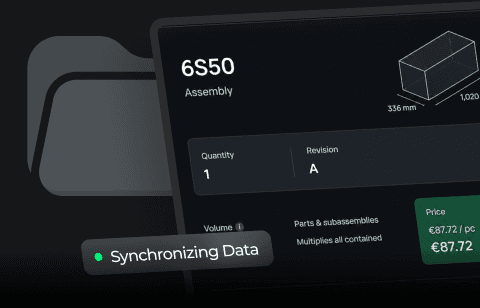
Eliminate manual re-entry by keeping data consistent across CAD, calculation, and production workflows.
5
Prepare work more consistently before production begins

Standardize how jobs are prepared to reduce errors and ensure predictable production outcomes.

Quote with more consistency
Work from actual file input and controlled calculation logic instead of relying on fragmented spreadsheets and individual interpretation.
Prepare work in the same flow
Keep project structure, parts, assemblies, and operational context connected so the job is not rebuilt after pricing.
Improve material decisions early
Use nesting-related insight before production starts to improve visibility into utilization, waste, and sheet selection.
Connect teams and systems
Support a cleaner handoff between engineering, estimating, work preparation, CAM and ERP.
A broader platform view without unnecessary complexity
CalQore brings together the software capabilities that usually sit in separate steps of the workflow. It supports CAD-driven input, cost calculation, project structure, material optimization, integration and reporting.
The value is not in adding more software layers. The value is in reducing the breaks between them, ensuring they are connected and efficiently using all the data in one application.
CAD-file intake and recognition
Cost calculation based on your own logic
Project and work preparation structure
Nesting and material optimization support
Connected outputs for downstream systems
Reporting and production visibility

Keep control over how work is calculated and prepared
Manufacturers do not need another black box. They need a system that reflects how their operation actually works. CalQore helps teams maintain control over costing logic, project structure, and downstream preparation without forcing them into a generic model that ignores the realities of the shop.
This is where CalQore becomes more than quoting software. It gives teams a way to standardize how jobs are interpreted, calculated, prepared, and passed into execution.
More consistency
does not come from hiding complexity.
It comes from structuring it properly.
Reduce manual handoffs between engineering and production
One of the biggest sources of waste in manufacturing is not material. It is repeated manual transfer of the same project data between departments and systems. CalQore is designed to reduce that friction. CAD input comes in once. The project stays structured. Downstream systems receive prepared data instead of incomplete re-entry. Production gets clearer context.
The result is not only faster quoting. It is a smoother path from engineering to execution.

Why teams choose CalQore
It keeps the workflow connected
CalQore supports the path from CAD input to quote, work preparation, and production instead of stopping at one isolated step.
It supports operational consistency
Teams can work from shared logic and structured project data rather than individual spreadsheets and manual interpretation.
It improves downstream readiness
Prepared project data is more useful to CAM, ERP, reporting, and production than a quote document alone.
It helps reduce avoidable errors
Fewer manual handoffs mean fewer opportunities for wrong quantities, wrong materials, or lost project context.
It fits manufacturers that need control
CalQore is built for operations where costing, preparation, and execution need to stay aligned.
Best fit for manufacturers that need more than quoting alone
Best fit

Manufacturers working from DXF and STEP files
Teams that need quoting linked to work preparation
Operations where project structure matters after pricing
Businesses that want fewer manual handoffs between office and production
Teams that want more consistency without giving up control
Not ideal for

Generic sales quoting with no engineering input
Workflows where no downstream preparation is needed
Companies looking only for a lightweight price tool
Teams that do not need project data to continue beyond the quote


See how CalQore fits your workflow
The best way to evaluate CalQore is against your actual process: how jobs come in, where costing slows down, where preparation gets rebuilt, and where data breaks between teams or systems. A focused demo shows whether CalQore can help you quote faster, prepare better, and hand work off with less friction.